


- 1. FREE VIDEO & LIVE DEMOS
- 2. Overview of features
- 3. Adding your company details and new users
- 4. Getting your customers and job addresses in the software
- 5. Creating, managing, and tracking jobs
- 6. Getting the most out of the calendar
- 7. How to create and issue gas certificates
- 8. Creating, sending, and following up with quotes
- 9. How to create invoices and issue them to customers
- 10. Keeping track of past jobs
- 11. Setting up automated reminders
- 12. Integrating with your accounting software
- 13. Book a free demo with our team:
- 14. Flip through our web portal & app guides
- 15.
- 16.
- 17. Gas Engineer Software is 100% free to try.
- 1. FREE VIDEO & LIVE DEMOS
- 2. Overview of features
- 3. Adding your company details and new users
- 4. Getting your customers and job addresses in the software
- 5. Creating, managing, and tracking jobs
- 6. Getting the most out of the calendar
- 7. How to create and issue gas certificates
- 8. Creating, sending, and following up with quotes
- 9. How to create invoices and issue them to customers
- 10. Keeping track of past jobs
- 11. Setting up automated reminders
- 12. Integrating with your accounting software
- 13. Book a free demo with our team:
- 14. Flip through our web portal & app guides
- 15.
- 16.
- 17. Gas Engineer Software is 100% free to try.
FREE VIDEO & LIVE DEMOS
Get the full Gas Engineer Software walkthrough
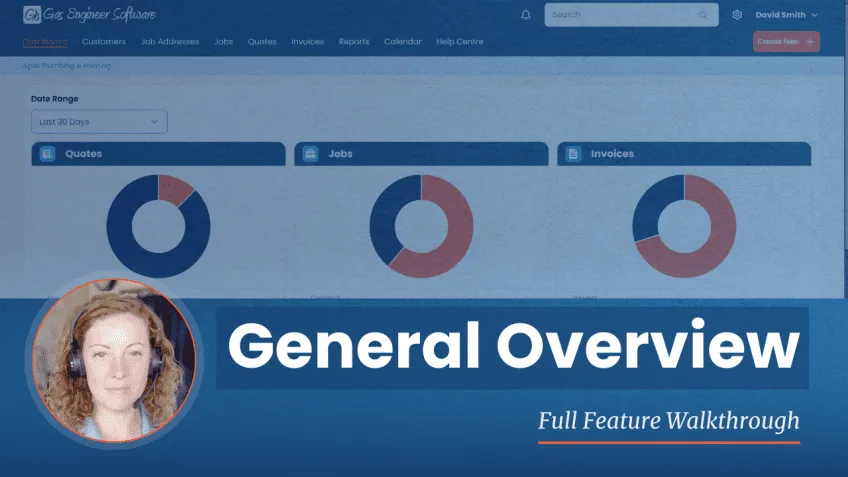
Overview of features
Learn how to manage your customer database, job addresses, live jobs, invoices, reports, calendar bookings, and more – all designed to help you run your plumbing or heating business more efficiently.
- Dashboard overview & tracking company growth
- Managing customers and job addresses
- Creating and managing jobs & invoices
- Service reporting and calendar scheduling
- Customising your settings and templates
- Getting help and support when you need it

Adding your company details and new users
When you first create your Gas Engineer Software account, you’ll be asked to enter in some basic details. This is also a great time to invite anyone else in your business who might need access.
- Adding company details
- Adding invoice & payment info
- Introduction to email templates
- Customising job statuses
Getting your customers and job addresses in the software
Before you can create jobs and certificates, you’ll need to add your customers and job addresses.
- Adding customers
- Adding job addresses
- Adding customer notes
- Customer and job address histories
Creating, managing, and tracking jobs
Learn how to create a job, assign it to an engineer, add job statuses, and more.
- Creating a job from the calendar
- Creating a job from the dashboard
- Using job descriptions and job notes
- Adding a job status
Getting the most out of the calendar
Gas Engineer Software’s calendar is integrated with all your jobs. Watch this video to find out how it works.
- Add a job to your calendar
- Move or reschedule jobs
- Duplicate a job
- Add return visits
- Send appointment confirmations
How to create and issue gas certificates
See how to create a gas safety record, installation/commissioning checklist, or any other gas certificate.
- Create records from an existing job
- Send a record to a customer
- Edit an older record
Creating, sending, and following up with quotes
Find out how to create professional quotes in Gas Engineer Software.
- Create a quote for an existing job
- Send quotes to customers
- Amend a quote
- Accepting a quote
- Converting a quote to an invoice
How to create invoices and issue them to customers
In Gas Engineer Software, you can either create an invoice from scratch or convert an existing quote in seconds.
- Create an invoice for an existing job
- Convert from a quote
- Amend existing invoices
- Marking payments
- Keeping track of past invoices
Keeping track of past jobs
Gas Engineer Software has several features designed to make it easy to track and manage all your past jobs.
- Why to use job descriptions
- Why to use job statuses
- How to mark a job as done
- How to find older jobs
Setting up automated reminders
From service reminders to invoice reminders, Gas Engineer Software can help you find more work and get paid faster.
- Gas safety check / service reminders
- Quote reminders
- Invoice reminders
- Generating service reminder reports
Integrating with your accounting software
You can connect your Gas Engineer Software account with Xero, Sage, or QuickBooks to massively cut down on admin.
- How to integrate your accounting software
- Benefits of integrating
Book a free demo with our team:
"The demo was informative, easy to follow, and tailored to our business.
Alexa was incredibly knowledgeable, professional, and friendly throughout, and took the time to answer all of our questions. "
Flip through our web portal & app guides

 Paul Laborevics
York Heating and Plumbing Solutions

“The customer service is spot on. Time-saving software that helps keep me on track.
Very happy and satisfied.“
 Phil Shakespeare
Premium Heating Services Ltd
“Brilliant app. I’ve been using it for 3 months and it’s so easy to use for everything from certificates to service reminders and invoicing.“
 Brett Carey
Carey Plumbing & Heating
“From gas records to quotes, estimates, and invoices, it’s saved us so much time and money. I can’t recommend this more.”
Gas Engineer Software is 100% free to try.
Start your 14-day trial:
