


How to Follow Up On Your Quotes (and Automate the Process)
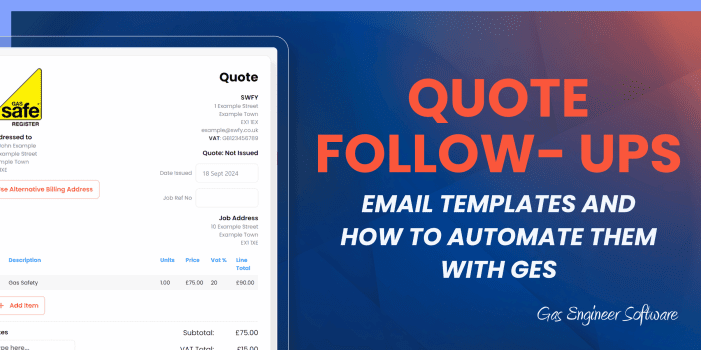
After you’ve spent time building a quote (perhaps even a site visit), the last thing you want is for the customer to go quiet. A quote follow-up email can be all you need to remind the customer, show that you’re keen, and win the job.
Most quotes don’t turn into jobs because they are never chased, usually because following up means keeping a running list of what’s still open and finding time to work through and get in touch with the customer.
Here’s our guide for heating business owners on following up on quotes, some useful templates, and how to automate the whole process.
- 1. Why following up on a quote is always worthwhile
- 2. When to send a quote follow-up
- 3. How to write a good quote follow-up
- 4. Free quote follow-up templates
- 5. Sending quote reminders automatically
- 6. Quote Reminder 1
- 7. Your quote for the job at :jobbuilding :jobstreet
- 8. Chasing the one quote you really want
- 9. To close...
- 1. Why following up on a quote is always worthwhile
- 2. When to send a quote follow-up
- 3. How to write a good quote follow-up
- 4. Free quote follow-up templates
- 5. Sending quote reminders automatically
- 6. Quote Reminder 1
- 7. Your quote for the job at :jobbuilding :jobstreet
- 8. Chasing the one quote you really want
- 9. To close...
Why following up on a quote is always worthwhile
The best way to think about it is that there’s no possible downside. If you weren’t going to win the quote, the follow-up just lets you know sooner rather than later. The worry most engineers have is sounding desperate – but that can be solved with clear process and specific wording.
Customers sit on quotes for a variety of reasons. They could be waiting on a second price, perhaps they need to speak to their partner, the email might have been missed or went to spam, or perhaps they meant to reply and just forgot. None of those scenarios is an outright lost job, but they’re very unlikely to get resolved on their own.
When to send a quote follow-up
When you follow up with quotes is largely dependent on the type of jobs you’re quoting for, whether it’s domestic or commercial, and your own personal preferences.
Generally, the best time to follow up on a quote is 2-3 days after you first sent it. This is a nice balance between giving them a fair window to reply and not long enough that you may end up losing the job to another business.
Optionally, you could send a second follow-up later down the line. In this follow-up, you can ask if they need any modifications to the quote or whether they’d like to close it off.
How to write a good quote follow-up
- Keep the follow-up short. They already have the quote and everything they need to make a decision, you’re just reminding them.
- Put the job address & job details in the subject line. “Re. Quote for Boiler swap at 2 Oak Close” sounds better than “Quote follow up”
- Don’t apologise for following up. You aren’t being annoying or bugging your customer, so there’s no need to apologise. All “Sorry to bother you” does is frame your own follow-up as a nuisance.
- Give the email a reason to exist. “Have you had a chance to think about it?” puts the work back on them. You can also give them a reason to reply by saying something like “”if you’ve gone with someone else, just say and I’ll take it off my list”.
Free quote follow-up templates
Subject: Re: Quote for [boiler replacement] at [address]
Hi [name], I wanted to drop you a quick email with a reminder of the quote we did for you on [date]. If you have any questions at all, reply to this email or give me a ring on [number] and I’ll talk you through it. I've attached the quote again at the bottom of this email for your convenience. Thanks, [your name], [company]
Subject: Reminder for quote at [address]
Hi [name], Just checking up on the quote I sent over [days ago]. I've attached it below just in case you missed it. If you have any questions about the pricing or job scope, just let me know by replying to this email or giving me a ring on [number] No worries if you're not going ahead with the job or have done with someone else - just let me know and I'll take it off my list. Thanks, [your name], [company]
Sending quote reminders automatically
Doing this by hand means keeping a list of every open quote and remembering to check it. That’s a sizeable task for any business, let alone a sole trader who’s trying to manage invoices, certificates, and work on the tools.
With Gas Engineer Software, you can set up to two quote reminders that run on your schedule, using your template.
Here’s how:
- Open your reminder settings. Click the settings cog in the top right next to your name, then hit Manage under Service Reminders and Email Templates.
- Edit Quote Reminder 1. Turn the reminder on, then set how many days after the quote is issued it should send. Two or three days matches Template 1 above.
- Write the email. Edit the subject and body, and use the drag-and-drop tags on the right to pull in the customer’s name, the property address and the quote details. Write it once, and it’s personalised on every send after that.
- Repeat for Quote Reminder 2. Same process, longer gap. Around a week after the first.
Learn more about quoting with GES, or follow a more detailed guide.
Quote Reminder 1
This is the template which is used to chase a quote that was sent to a customer.
Your quote for the job at :jobbuilding :jobstreet
Hi :customer, just making sure the quote I sent reached you, as they do occasionally land in junk.
If anything on it needs explaining, give me a ring on :contactphone and I'll talk you through it.
Chasing the one quote you really want
Automation handles the everyday stuff. For the quotes that you really want to win, you can still send a manual follow-up.
In GES, you can simply use the same reminder template but just send a one-off email. Open the quote and hit Follow Up. The email opens pre-filled with your first quote reminder template and the quote PDF already attached. At this point you can make any modifications to suit that particular customer and send it there and then.
Knowing which ones to chase is the other half of it. Every quote in GES carries a status, so you can filter your list down to the ones still marked Pending and leave the accepted and declined ones alone. Quote statuses turn a pile of old quotes into a short list worth working through.
To close…
If your quotes are regularly going unanswered, you may find our guide to quoting heating & plumbing jobs helpful. And if you’re not sure whether you should be issuing a quote or an estimate in the first place, here’s an outline of the difference between the two.
Gas Engineer Software is free to try for 14 days, full access, no card required.